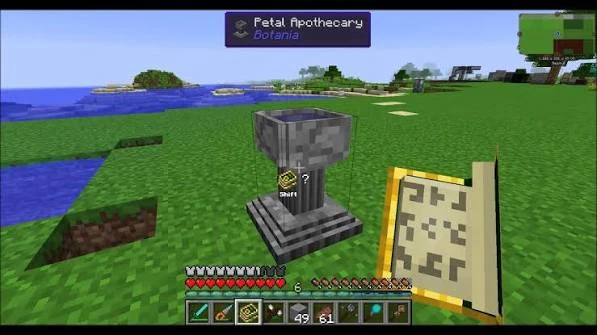
The Petal Apothecary is one of Botania’s earliest dedicated crafting blocks. It introduces the mod’s in-world crafting style and is used to create special flowers from botanical ingredients.
What the Petal Apothecary does
Instead of crafting these flowers in a normal grid, you work directly with the Apothecary. The exact ingredient combination depends on the recipe and Botania version, so check the Lexica Botania for the flower you want to make.
Fill the Apothecary with water
A normal flower recipe begins with water in the Petal Apothecary. Arrange your early work area near an easy water source so repeated crafting is quick and you can immediately reset for the next recipe.
Add the required petals and ingredients
Drop the ingredients required by the selected Lexica recipe into the filled Apothecary. Mystical petals come from the corresponding mystical flowers and are common early ingredients.
Use seeds to complete a valid recipe
After the correct ingredients are present, adding seeds completes a standard Petal Apothecary flower recipe. If nothing happens, verify the recipe and make sure the Apothecary is filled correctly before adding more items.
Organize petals by color
Simple storage next to the Apothecary saves time because many Botania recipes use color-specific petals. Keeping petals sorted also makes it easier to spot a missing ingredient before you start a recipe.
If a recipe does not work
Check that Botania loaded correctly, confirm the recipe in your installed Lexica, make sure the recipe has not been changed by a modpack, and verify that you are using the correct item variants.
What comes next
Early Apothecary recipes lead naturally into generating flowers and the mana system. Once you can craft your first generating setup, build a simple spreader-and-pool layout before exploring more complex automation.
Version-aware reminder
Screenshots and online recipes can come from older releases. The in-game Lexica for your installed Botania build is the safest reference for the exact ingredient list.
Related Botania guides
Continue with the full guide library, the installation checklist or the troubleshooting guide.